Plug in. Feel it.
Health, charge, sleep-drain and every Apple device. Everything macOS hides, in one native app, in five languages.
The only macOS battery app
your Mac needs.
All-in-one
Replaces 3+ apps
100% private
Everything on-device
Apple-silicon native
Tiny footprint
One-time $9.99
No subscription, ever
The gap
macOS tells you almost nothing.
Your Mac knows everything about its battery. It just doesn’t show you. We do.
What macOS shows you
- —A battery icon — and that’s about it
- —A vague “Service Recommended”, eventually
- —Cycle count is tucked away in System Information — no history or context
- —No live wattage, no temperature
- —No alert when to unplug, or what’s draining it
With Mac 4 Breakfast
- ✓Exact health %, cycle count & capacity
- ✓A true time-remaining estimate, live
- ✓Real-time watts, voltage & temperature
- ✓Smart Alerts + what’s using significant energy
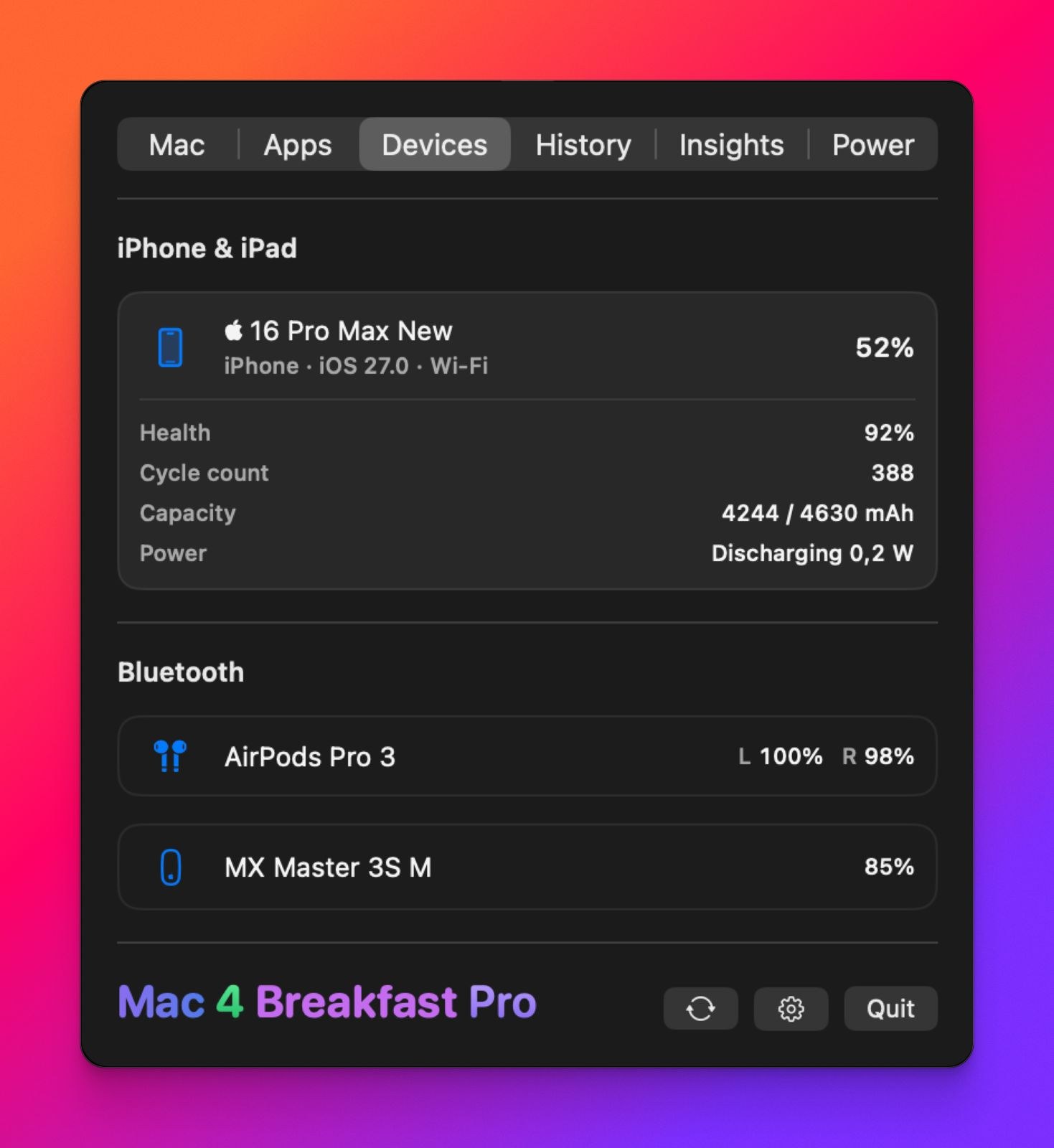
- ✓Every device’s battery — iPhone to mouse — in one place
The whole app, in twenty seconds.
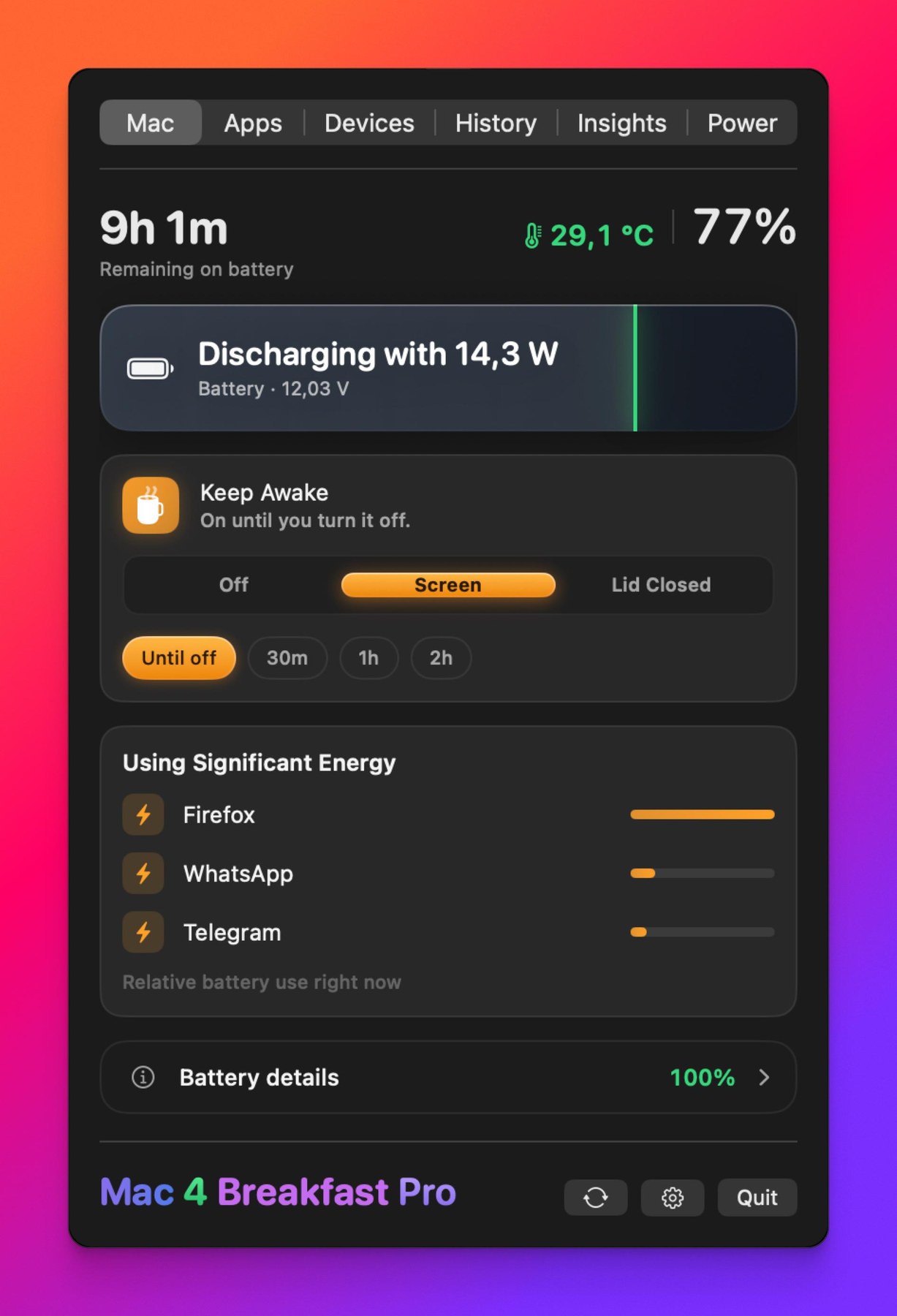
One menu-bar panel for charge, health and whatever is draining you — and Keep Awake to hold the Mac up with the lid shut, so long jobs keep running while the laptop is closed.
Every corner of it.
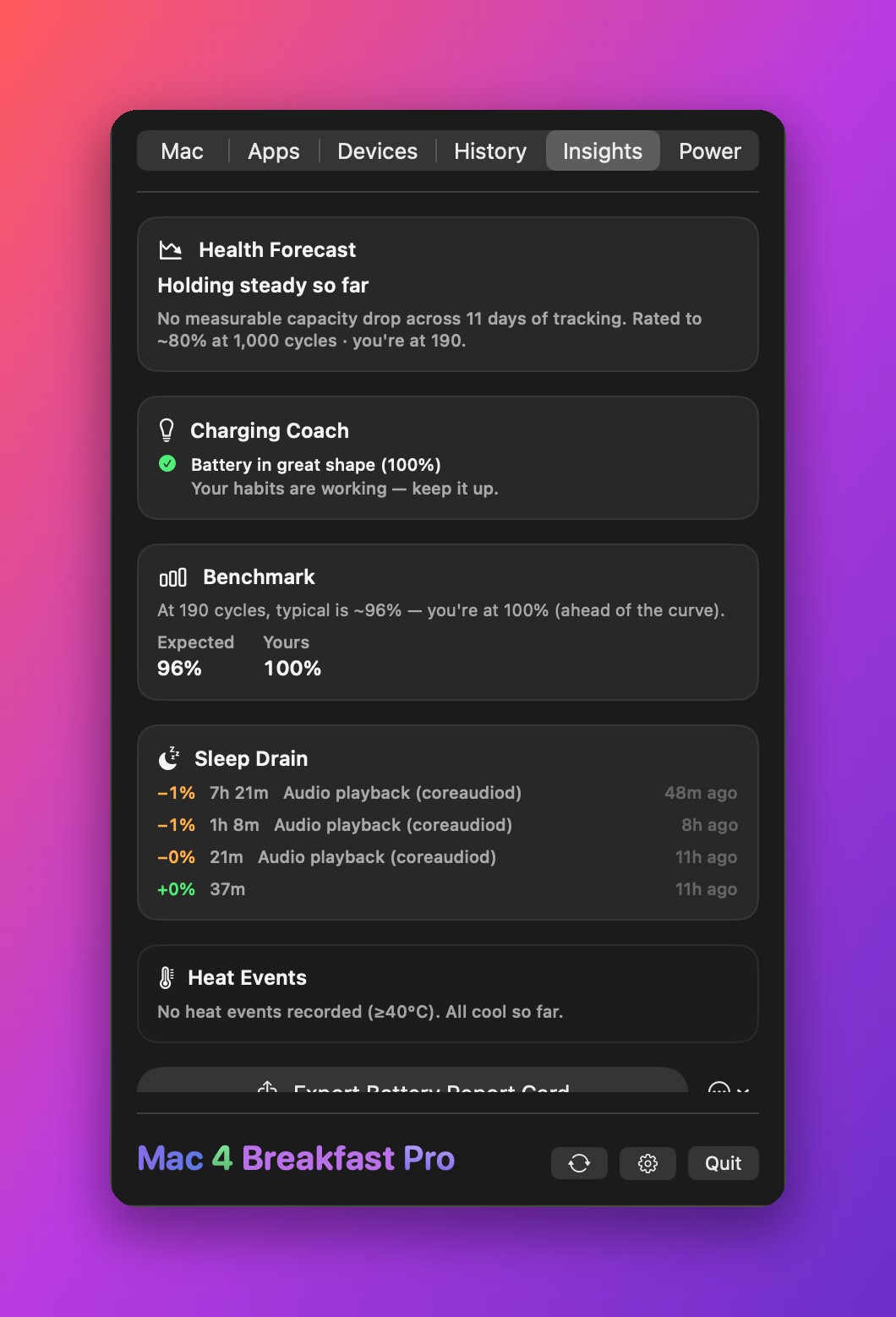
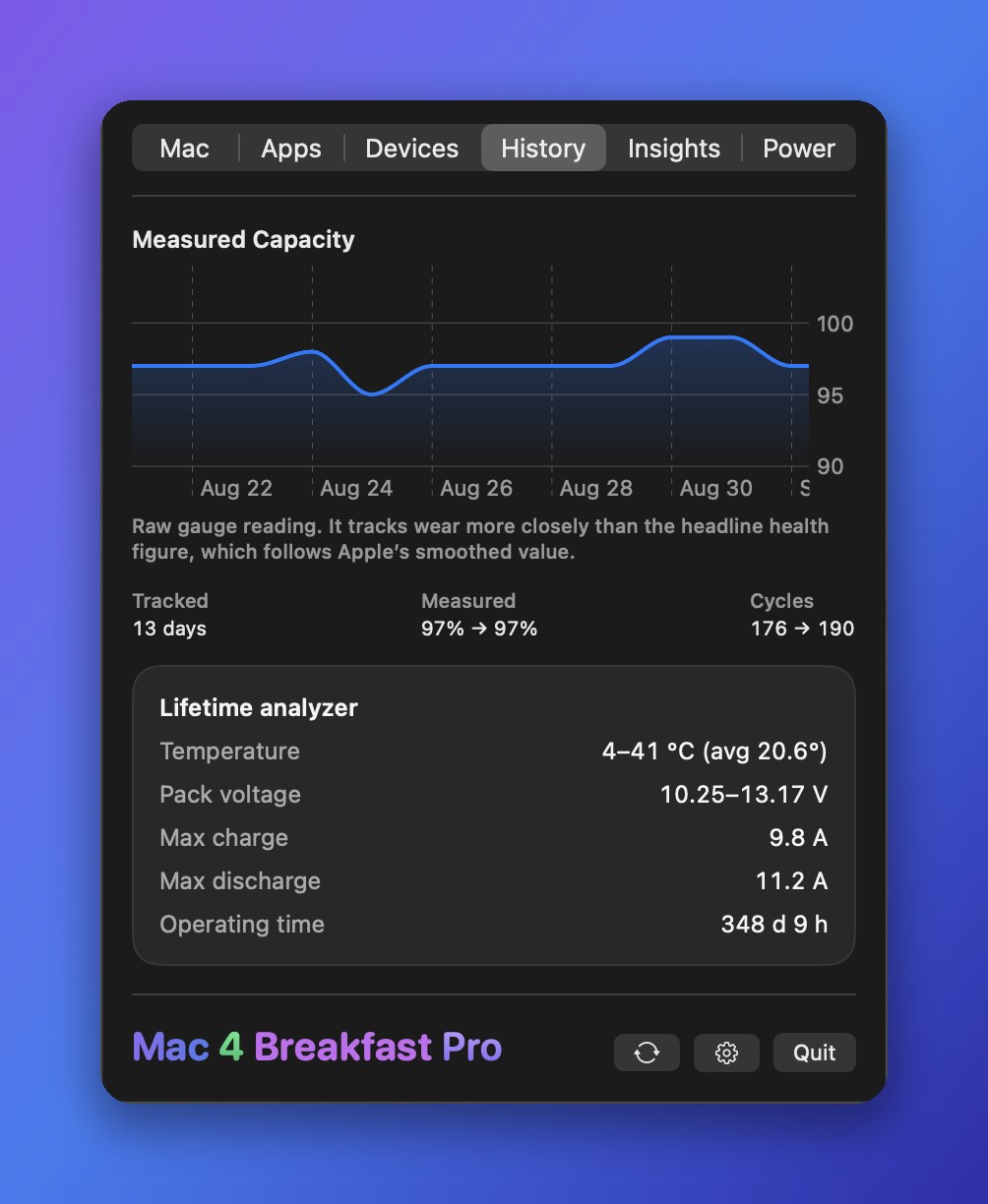
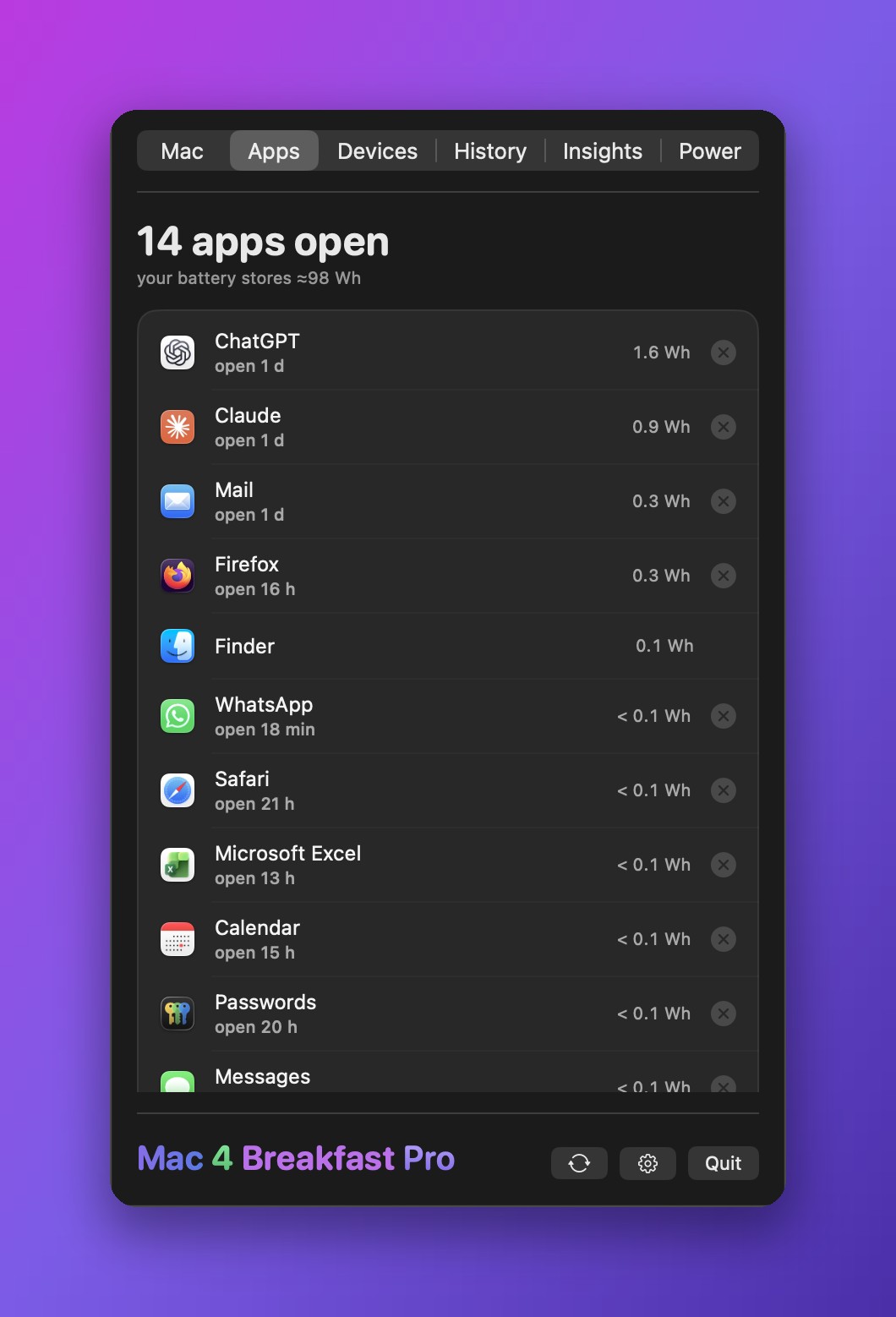
Six tabs, one settings window, nothing hidden behind a paywall screenshot. Scroll through the whole app.
Close the lid. Keep working.
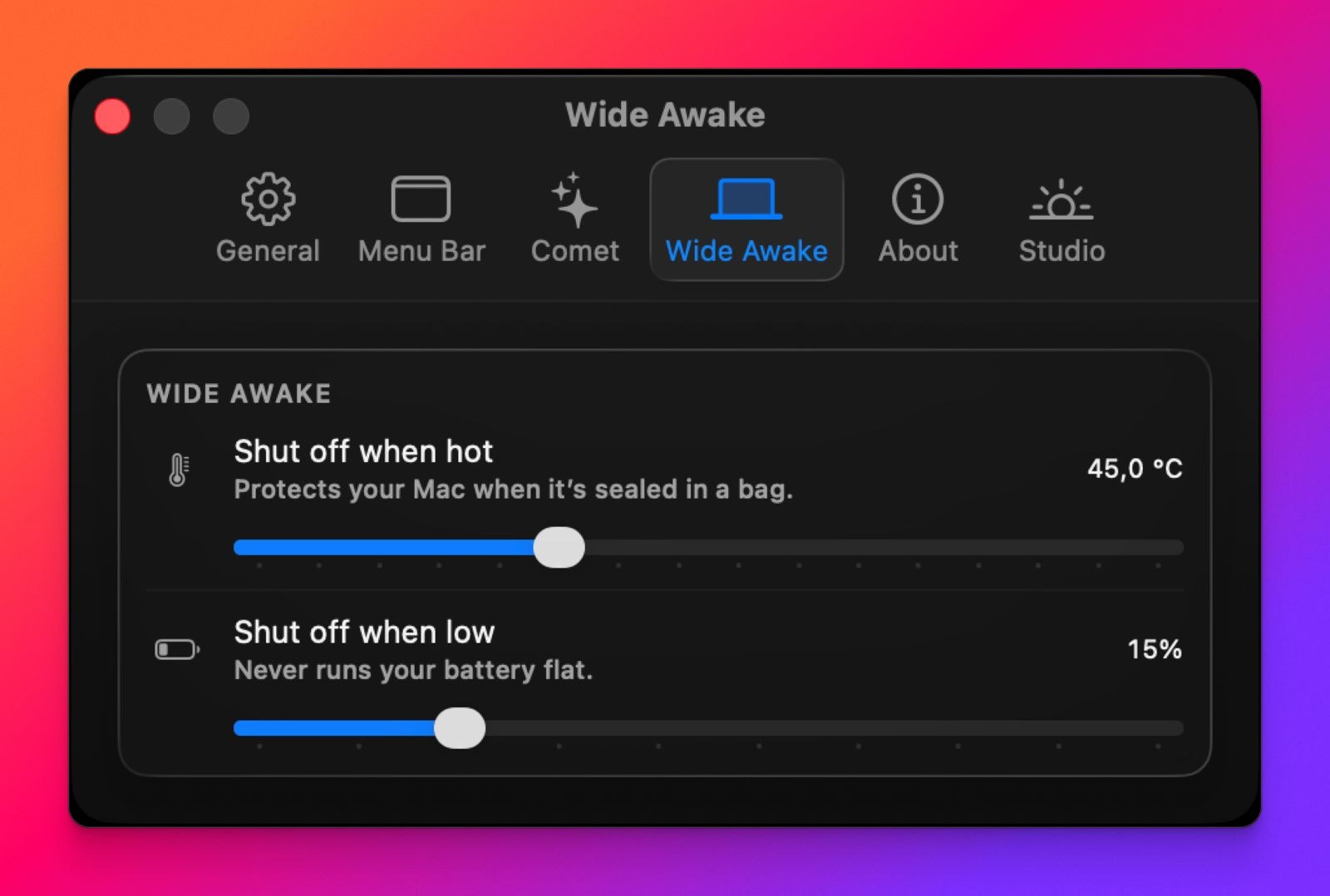
Meet Wide Awake — keep your Mac running with the lid shut, with a safety net no other app has. It watches the heat and the battery so you don’t have to. It lives in one unified Keep Awake control — Off, Screen, or Lid Closed — now with a rich gold finish, so switching modes is a single, satisfying tap.
Keep working, lid shut
Downloads, backups, a long build, a remote session — close the lid and your Mac keeps running. No external display, no dongle, no trick.
Backups finish, lid shut
Turn on Stay awake for Time Machine and Lid Closed switches itself on while a backup runs, then off when it’s done, with the same heat and battery limits. It uses the one-time permission, so it never asks for Touch ID out of nowhere.
A safety net no one else has
It watches battery temperature and charge the whole time, and shuts itself off automatically if your Mac gets too hot in a bag or the battery runs low. You set the thresholds.
Your call on permissions
Approve with Touch ID each time, or grant a one-time, tightly-scoped permission so the safety net can even fire while you’re away. Nothing hidden runs in the background.
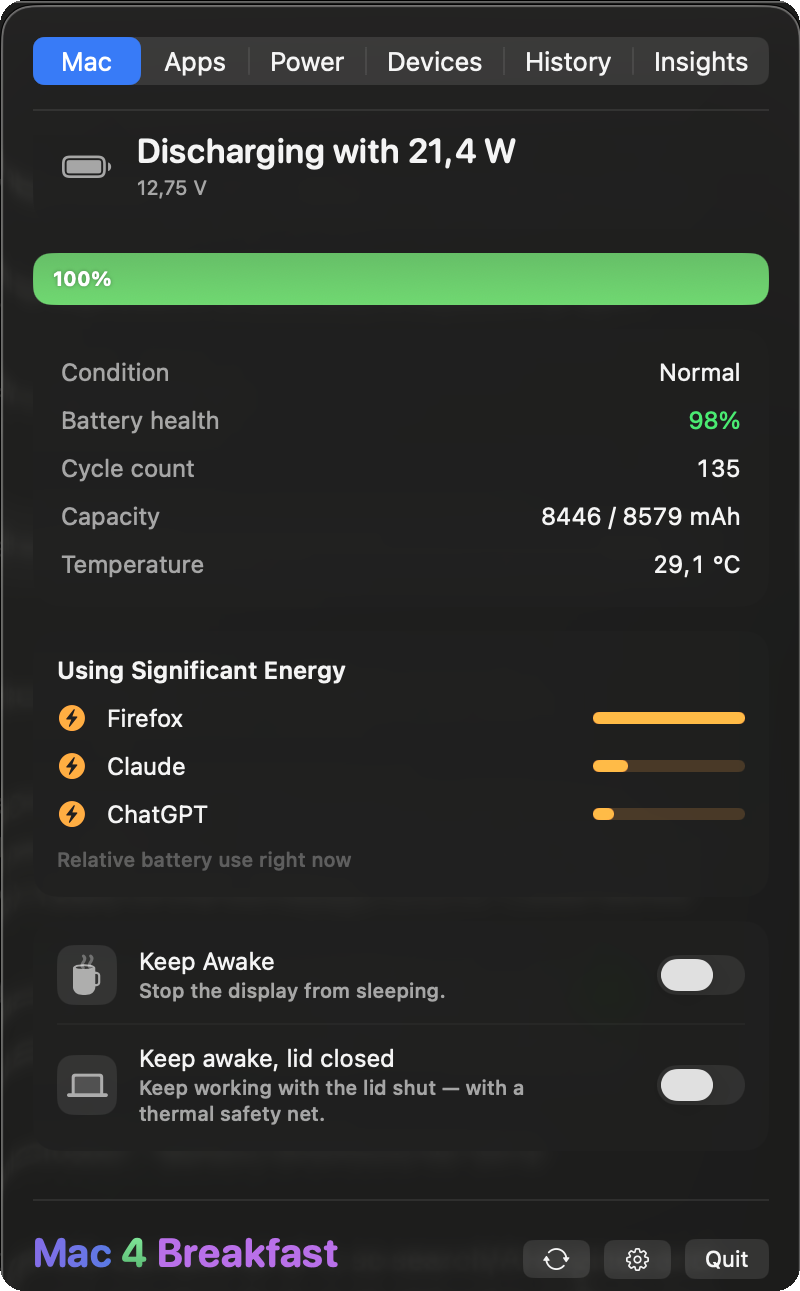
The all-in-one
The manager of every battery manager.
Four apps' worth of power — health, charging, devices, and insights — in one menu-bar icon.
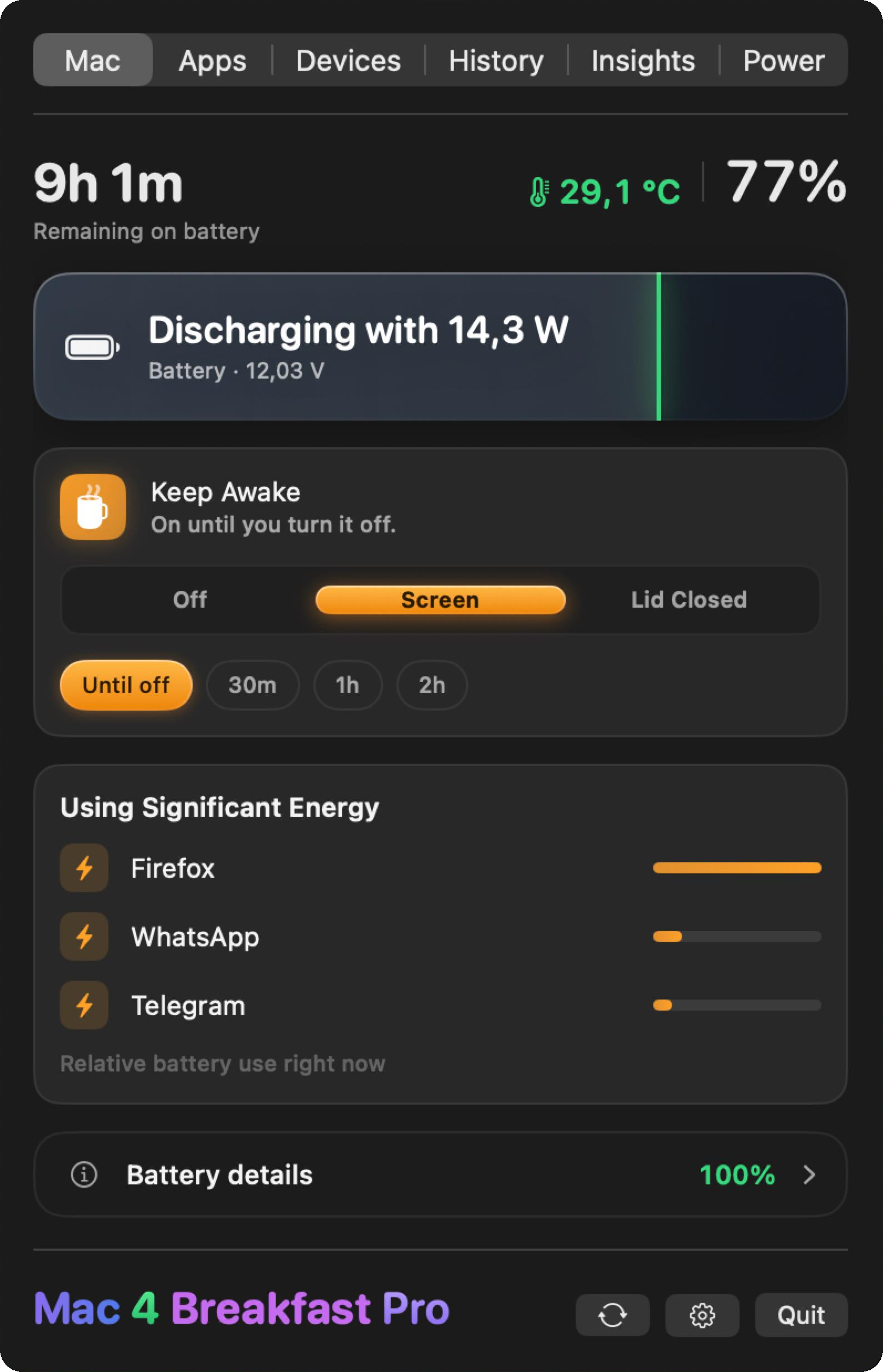
Your battery, beautifully understood
Health, cycles, capacity, temperature and live battery voltage — plus a true time-remaining estimate Apple removed years ago. Now with a richer, glowing power card that gently breathes while you charge.
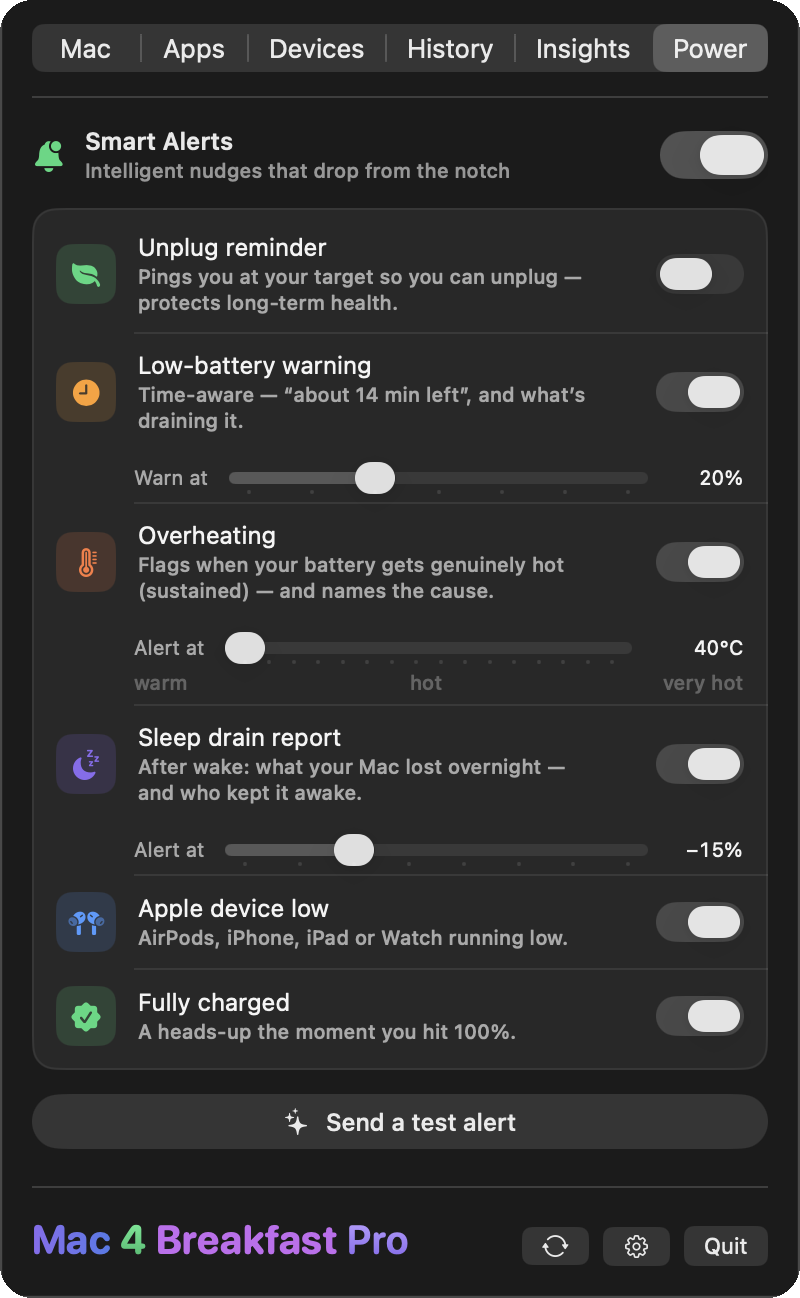
See what’s draining it, even overnight
Live wattage the moment you plug in, Smart Alerts that drop from the notch, and a Sleep Drain Detective: open the lid in the morning and it tells you what your Mac lost overnight and exactly which app kept it awake.
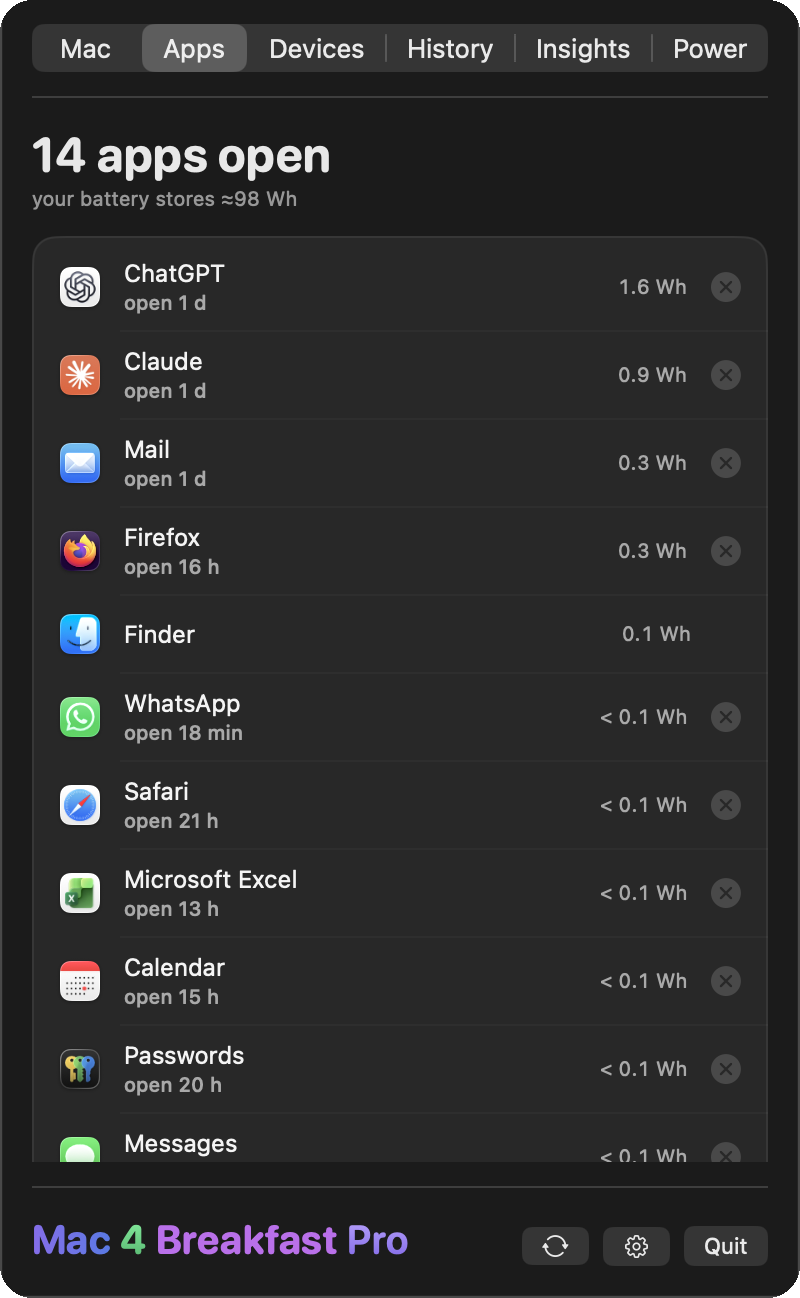
Who’s been open for weeks?
Every open app with how long it has been open and the energy it has actually consumed since launch: real watt-hours from macOS’s own counter. Quit the hungry ones in one click, and stop feeling guilty about the idle ones.
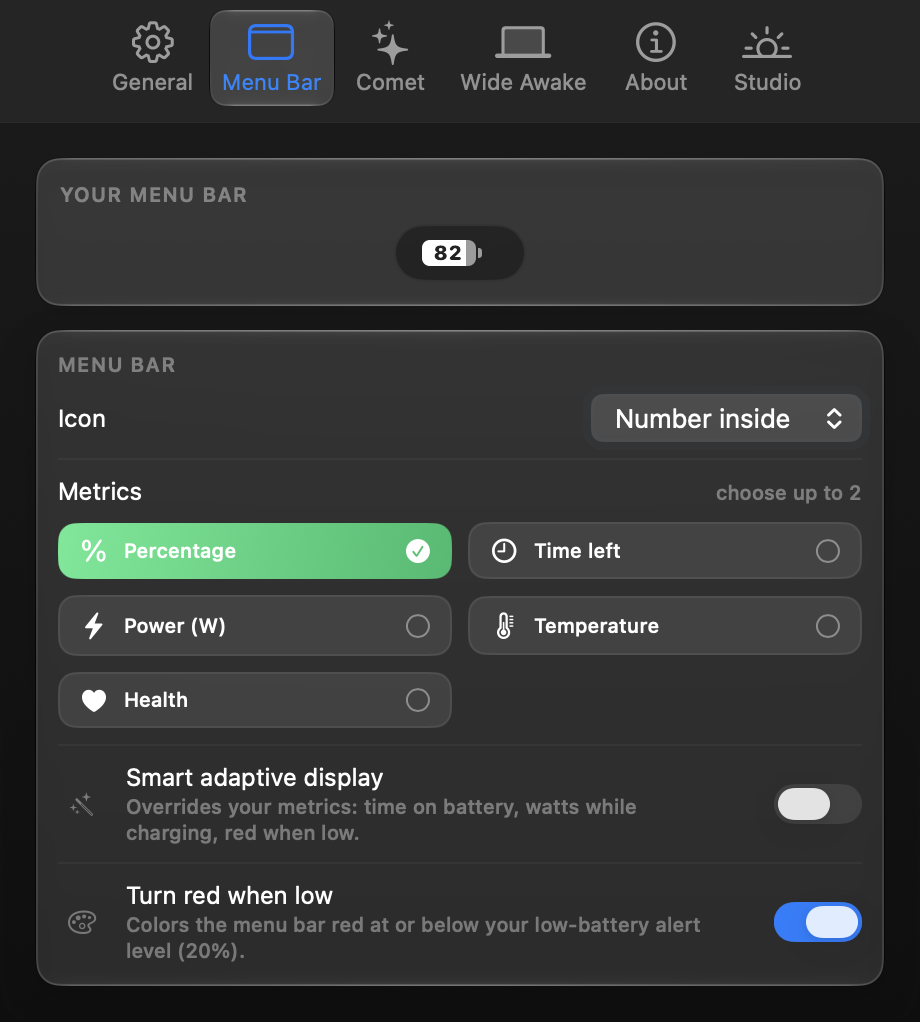
The most customizable menu bar, period
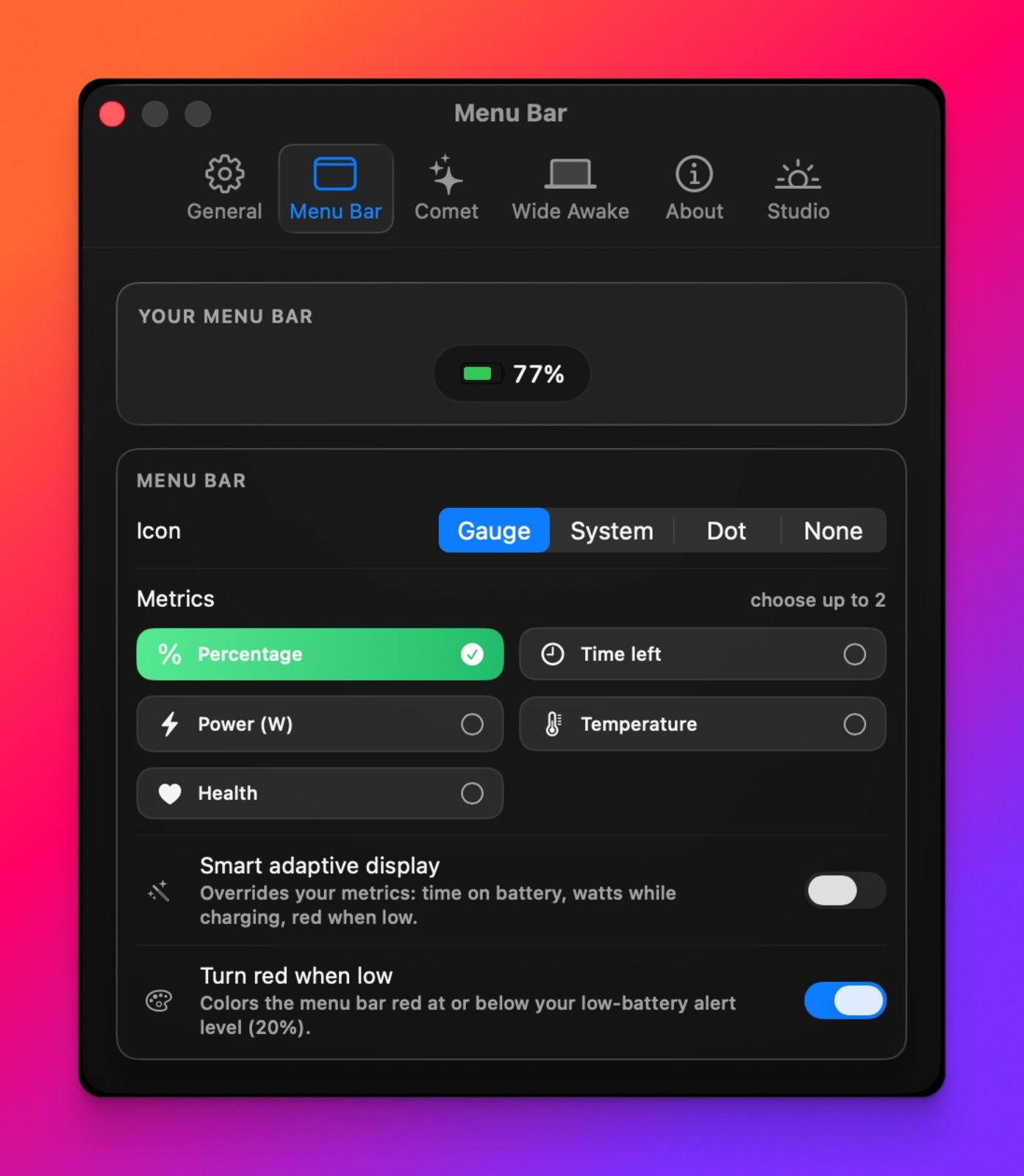
Pick any two metrics — percentage, time, watts, temperature, health — or a Smart adaptive mode that shows the right thing at the right moment. °C or °F, and five icon styles, including your charge as a number inside the battery.
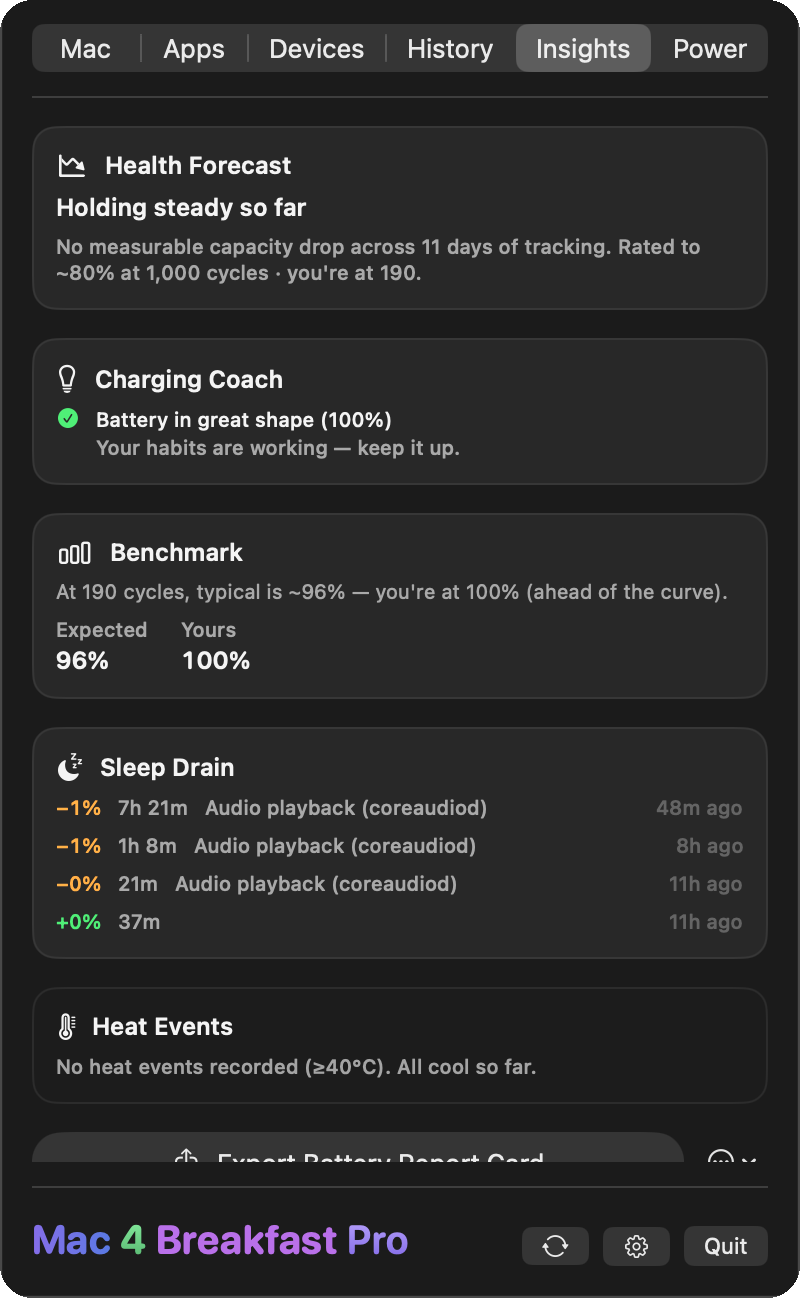
It doesn’t just show — it advises
A shareable Battery Report Card (PNG, PDF, CSV or JSON), a health forecast, a charging coach that learns your habits, a benchmark against the typical curve, plus live heat-event and sleep-drain logs.
Smart Alerts
Alerts that drop from the notch.
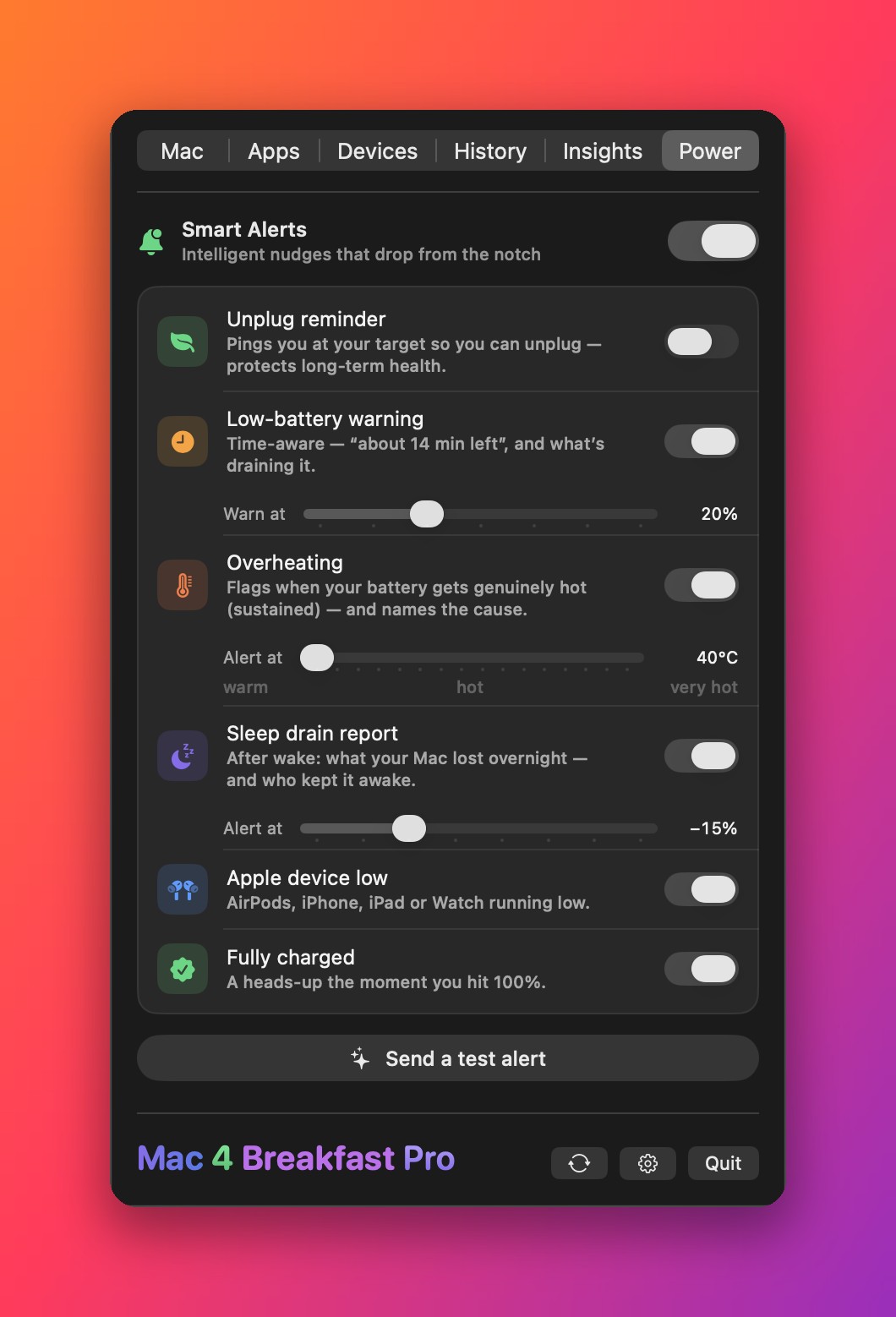
Not another notification lost in the corner. A beautiful card springs down from your MacBook’s notch — and it’s actually smart: it knows your charge target, predicts when you’ll run out, and names the app cooking your Mac.
Unplug reminder
Hit your charge target while plugged in and a card drops to nudge you to unplug — keeping the battery in its healthy zone.
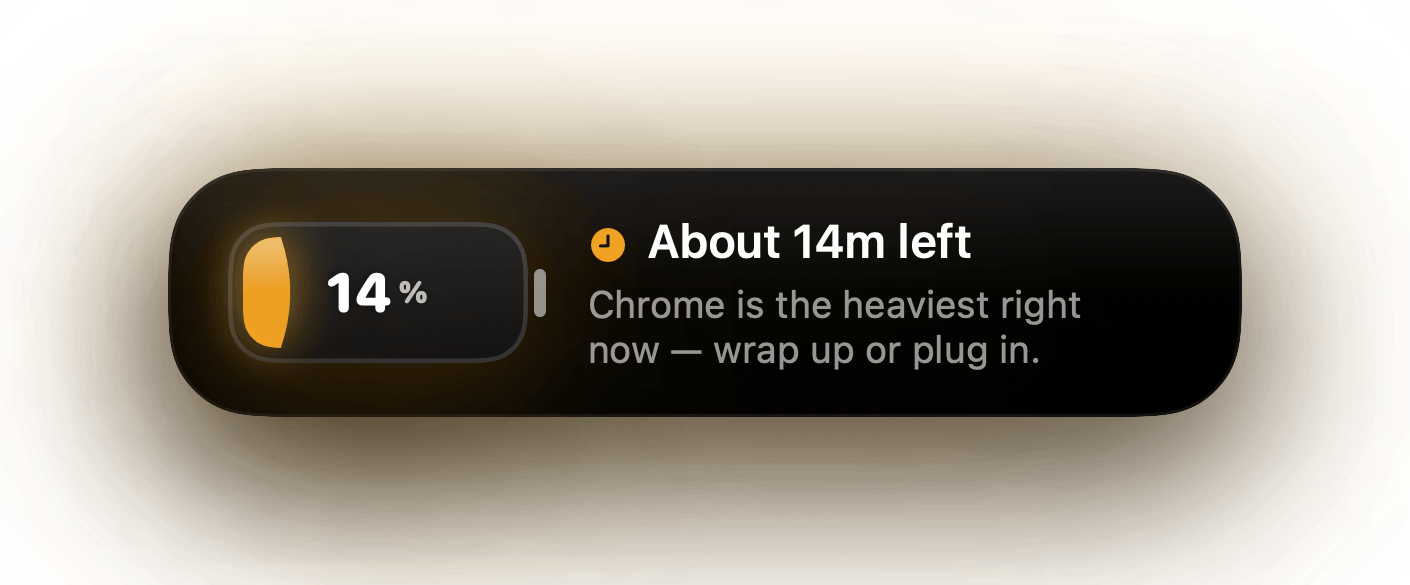
Low battery that stays until you plug in
“About 14 minutes left”, with the heaviest app named. Then it shrinks into a live countdown under the notch instead of vanishing, turns red at 5%, and turns green and leaves the moment you plug in. Want a copy in Notification Center too? One switch.
Overheating, with the cause
Flags the moment your Mac runs hot and points straight at the app behind it.
Fully in your control
Toggle each alert, set your charge target, low-battery and overheating thresholds, and fire a test alert any time — all from the menu bar.
Customize
Speed
Plug in. Watch it celebrate.
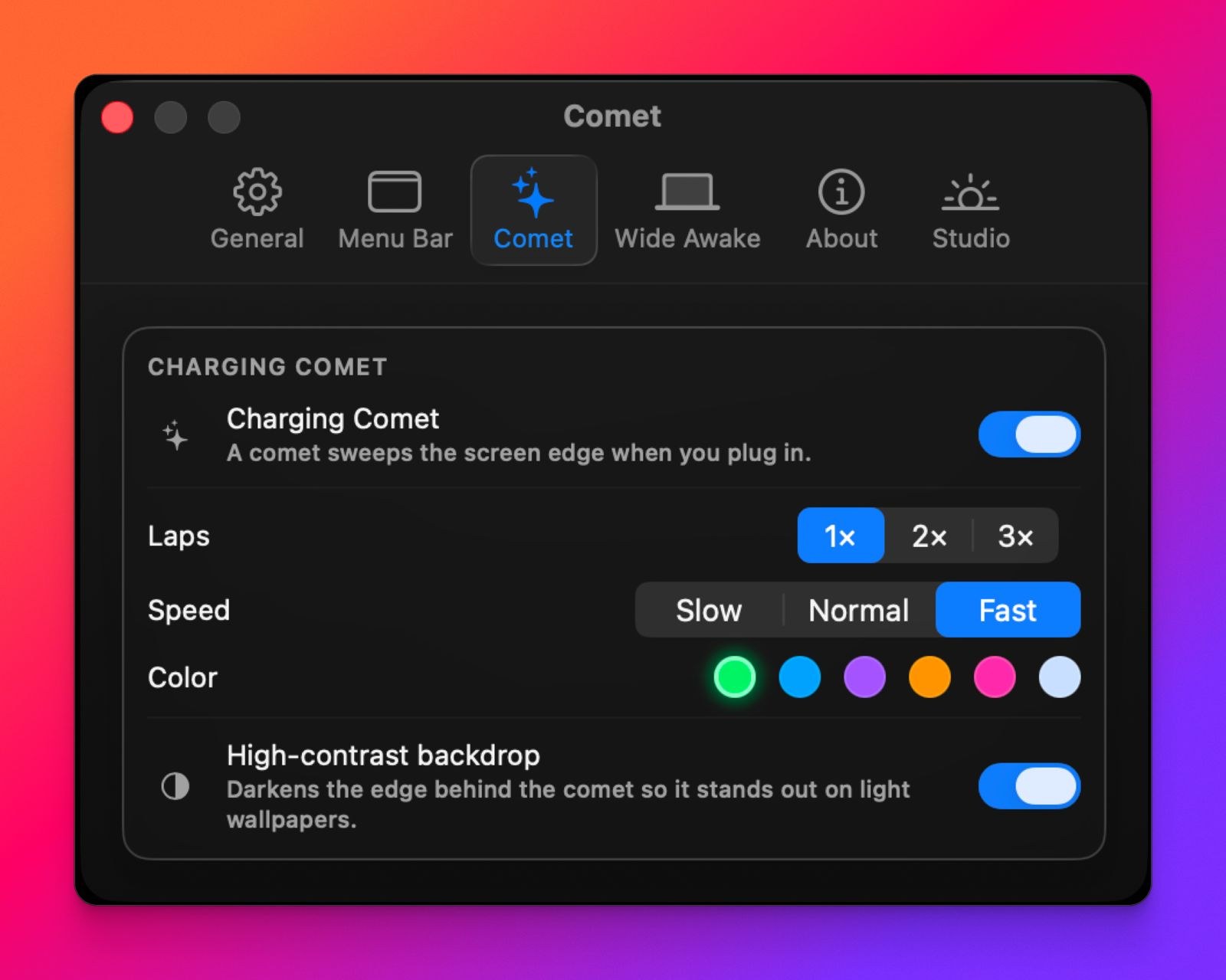
The moment your charger connects, a vivid comet sweeps around your screen and traces the notch — a tiny, joyful signal that power is flowing. Now more vivid than ever, and yours to customize.
It lands on your notch
A white-hot comet with a real light trail sweeps the display, then settles on the notch with a glow.
Only when you plug in
It fires the instant the charger connects and runs the laps you choose: one, two or three.
Make it yours
Pick your pace — Slow, Normal or Fast — and one of six colors. A high-contrast backdrop keeps it reading clearly on any wallpaper, dark or bright.
Zero battery cost
A one-shot flourish, not a running animation. Switch it on or off anytime in Settings.
Battery 101
Get more years out of your battery.
A little knowledge goes a long way. Here’s what actually wears a battery down — and how Mac 4 Breakfast helps with each.
Cycles are finite
Your battery is rated for ~1,000 charge cycles before it noticeably wears. We count every one and forecast what’s ahead.
The 80% rule
Sitting at 100% all day stresses the cells. A Smart Alert pings you to unplug at your target, so it stays in the healthy zone.
Heat is the killer
Sustained heat ages a battery faster than anything else. We log every heat event so you can spot the cause.
No routine calibration
Modern MacBooks manage their battery estimates themselves. If the percentage behaves abnormally, check the battery condition before troubleshooting.
Why people switch
All-in-one
Replaces coconutBattery + AlDente + a menu-bar monitor.
Instant power flow
Reacts the moment you plug or unplug — not on a lazy timer.
True time remaining
The estimate Apple removed in 2016, brought back.
Smart insights
Report Card, forecast, charging coach, benchmark.
100% private
Everything stays on your Mac. Zero tracking.
One-time price
Pay once. No subscription, ever.
And a hundred small things you’ll love.
The details that make it feel like Apple built it.
Does more than any one of them.
Each rival owns one lane. Mac 4 Breakfast owns them all.
| Capability | Mac 4 Breakfast | coconutBattery | AlDente | iStat Menus | Juicy |
|---|---|---|---|---|---|
| Health, cycles & capacity | ✓ | ✓ | ◐ | ◐ | ✓ |
| Lifetime analyzer | ✓ | ✓ | — | — | — |
| History over time | ✓ | ✓ | — | ◐ | ◐ |
| True time remaining | ✓ | — | — | ◐ | ◐ |
| Live power flow (instant) | ✓ | ✓ | — | ✓ | — |
| Smart Alerts from the notch | ✓ | — | — | — | ◐ |
| Predictive low & overheat alerts | ✓ | — | — | — | — |
Convinced? It’s free to try.
Every Pro feature, free for 14 days. No account, no subscription.
Free to start. Pro when you’re ready.
Free forever, with a 14-day Pro trial. Keep Pro for a one-time price — no subscription.

Another focused Mac utility
Power understood. Display under control.
Mac 4 Breakfast explains the battery beneath your work. LUMEL handles the screen above it: boost supported XDR displays into available headroom, or dim below the usual macOS minimum.
Free download · One-time Pro unlock · No account